
Connected Worker · Fall & man-down detectionWorkForce Alert™ Know the second someone falls.
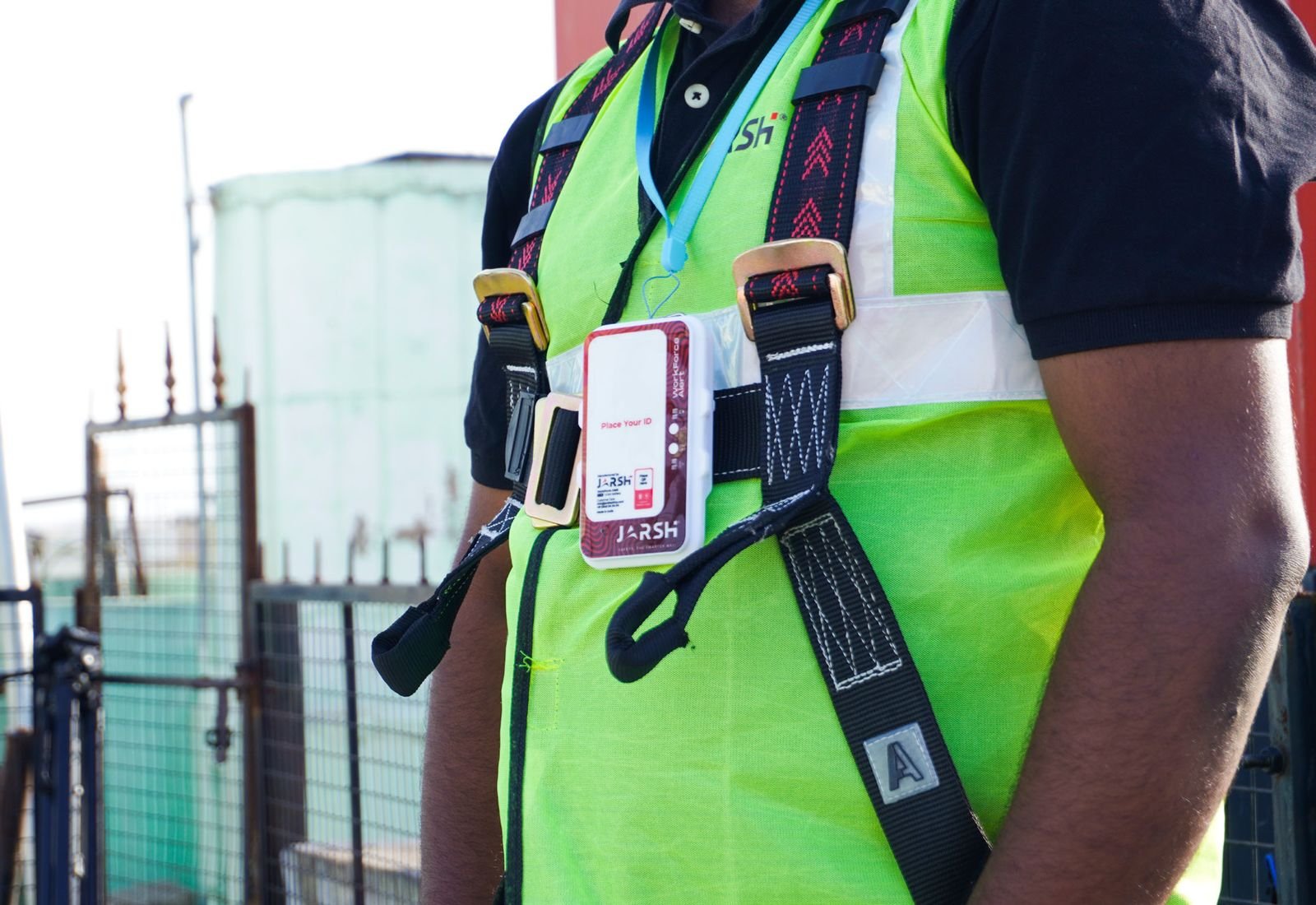
A badge-sized device clipped to the harness. It detects a fall in two seconds or less, confirms it with two sensors, and sends the alert over LTE with GPS location to your dashboard and phones.
From fall to response in seconds
Worn on the harness
Clip it on and switch it on. A slow green blink means it is connected to the server.
Watching every move
An accelerometer tracks motion and a barometric sensor tracks height, continuously.
Fall confirmed
When both sensors agree, it raises the alarm in 2 seconds or less. LED and buzzer go off on the device.
Team alerted
The alert, time and GPS location go over LTE to the dashboard and the app, and emergency contacts are notified.
Fine after a slip? The worker presses the button during the warning phase and the event is logged as "Rescued by user", so the team isn't sent for nothing.
One device, three ways to raise the alarm
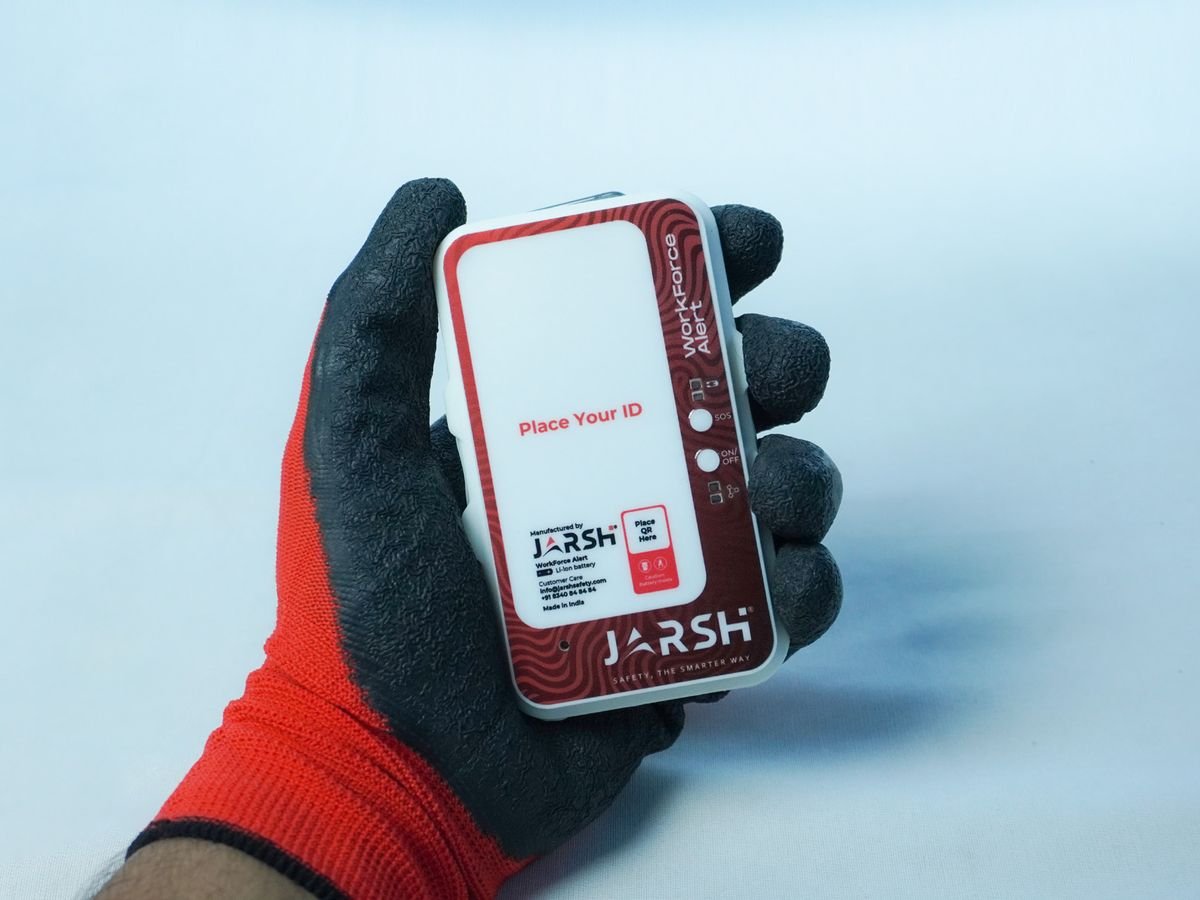
- Fall detection: dual-sensor confirmation, motion threshold plus height change, for fewer false alarms.
- Man-down: spots a worker who is incapacitated, not just one who fell.
- SOS button: the worker raises the alarm by hand.
- Periodic check-in: confirms the worker is active and safe at set intervals.
- Live location: GNSS position travels with every alert.
- Standalone mode: local LED and buzzer alerts when there is no network.
Lone workers
Linemen, patrollers and maintenance staff who work out of sight of the team.
WhoWork at height
Towers, roofs, scaffolds and structures where a fall must be answered in minutes.
WhereRemote sites
Solar parks, substations and pipelines, where the nearest colleague may be kilometres away.
SitesSet up from a phone
Configured over Bluetooth Low Energy from the mobile app. No tools.
SetupConnected to JarshConnect
Your Workforce Alert dashboard
Every alert, location and check-in lands on the Workforce Alert dashboard on JarshConnect and in the Workforce Alert mobile app. Supervisors see who is out, who has checked in and where an alert came from.
JarshConnect is the one sign-in for every connected Jarsh product. Manuals, quick-start guides and inspection checklists are on JarshConnect support.
What the lights and buzzer mean
Train every wearer on these six states before first use.
| Light | Buzzer | Meaning |
|---|---|---|
| Green, fast blink | Off | Booting up |
| Green, slow blink | Off | Ready and connected to the server |
| Red, slow blink | Off | Not connected to the server |
| Red, medium blink | On | Sending a report to the server |
| Red, fast blink | On | Emergency detected: alert in progress |
| Red, blinking faster and faster | On | Warning phase: alert is about to escalate |
Full technical specifications
Per the current Jarsh technical data sheet.
Full specificationsJS-WFA-01
Detection
- Fall detection response
- ≤ 2 seconds
- Method
- Dual-sensor confirmation
- Motion sensor
- LIS3DH 3-axis accelerometer
- Height sensor
- BMP388 barometric pressure
- Also detects
- Man-down (incapacitation beyond a fall)
Communication
- Network
- LTE, MQTT protocol to the cloud
- Location
- GNSS (satellite), sent with every alert
- Configuration
- Bluetooth Low Energy, from the mobile app
- Modes
- Connected (LTE) or standalone (local alerts)
- Local alert
- LED + buzzer
Worker functions
- SOS
- Manual emergency button
- Check-in
- Periodic check-in alerts at set intervals
- Self-rescue
- Press the button during the warning phase to mark 'Rescued by user'
Power
- Battery
- Rechargeable Li-ion, built in
- Capacity
- 1600 mAh
- Operating voltage
- 3.0–4.2 V
- Charging
- USB Type-C
- Charging time and runtime
- Depend on operating mode: confirmed with your quotation
Per the WorkForce Alert JS-WFA-01 technical data sheet, V0.2 11.2025.
Before, during and after a shift
Before every shift
- Check the device for damage
- Check the battery level
- Confirm a green slow blink
- Check LTE signal in the work area
- Wear it secured as instructed
During use
- Keep it worn and secured at all times
- Use SOS for a manual emergency alert
- Check in when the system asks
After a fall
- The alert goes out automatically
- Press the button in the warning phase if you are fine
- Inspect the device before it goes back into service
- Not for extreme corrosive environments
- Use it as part of a complete site safety system
Complete the fall-protection system
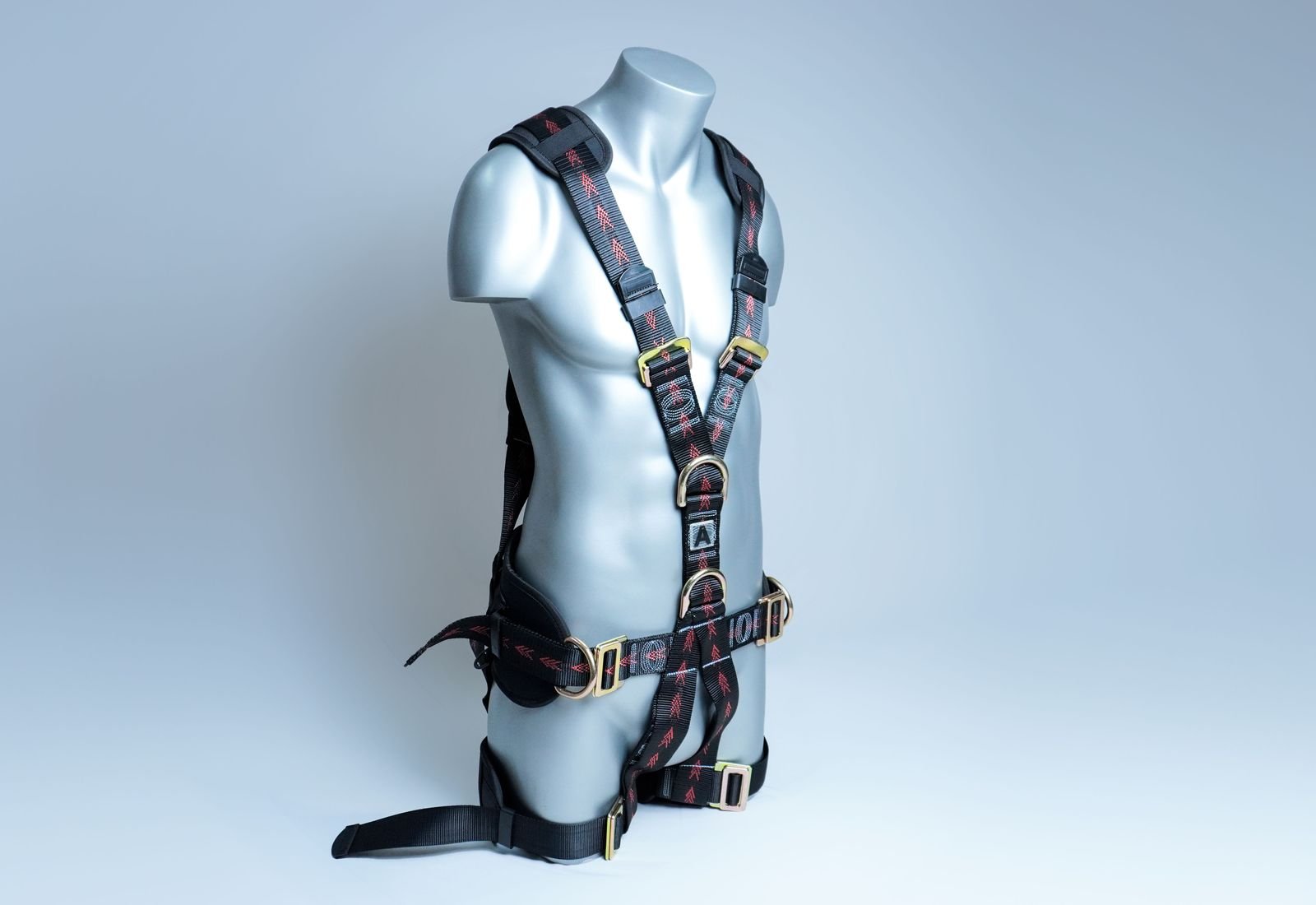
Pro-Guard Tower & Rescue PGH-05 / 18 / 19
Tower and rescue harness with 5 attachment points; sets available.
View product →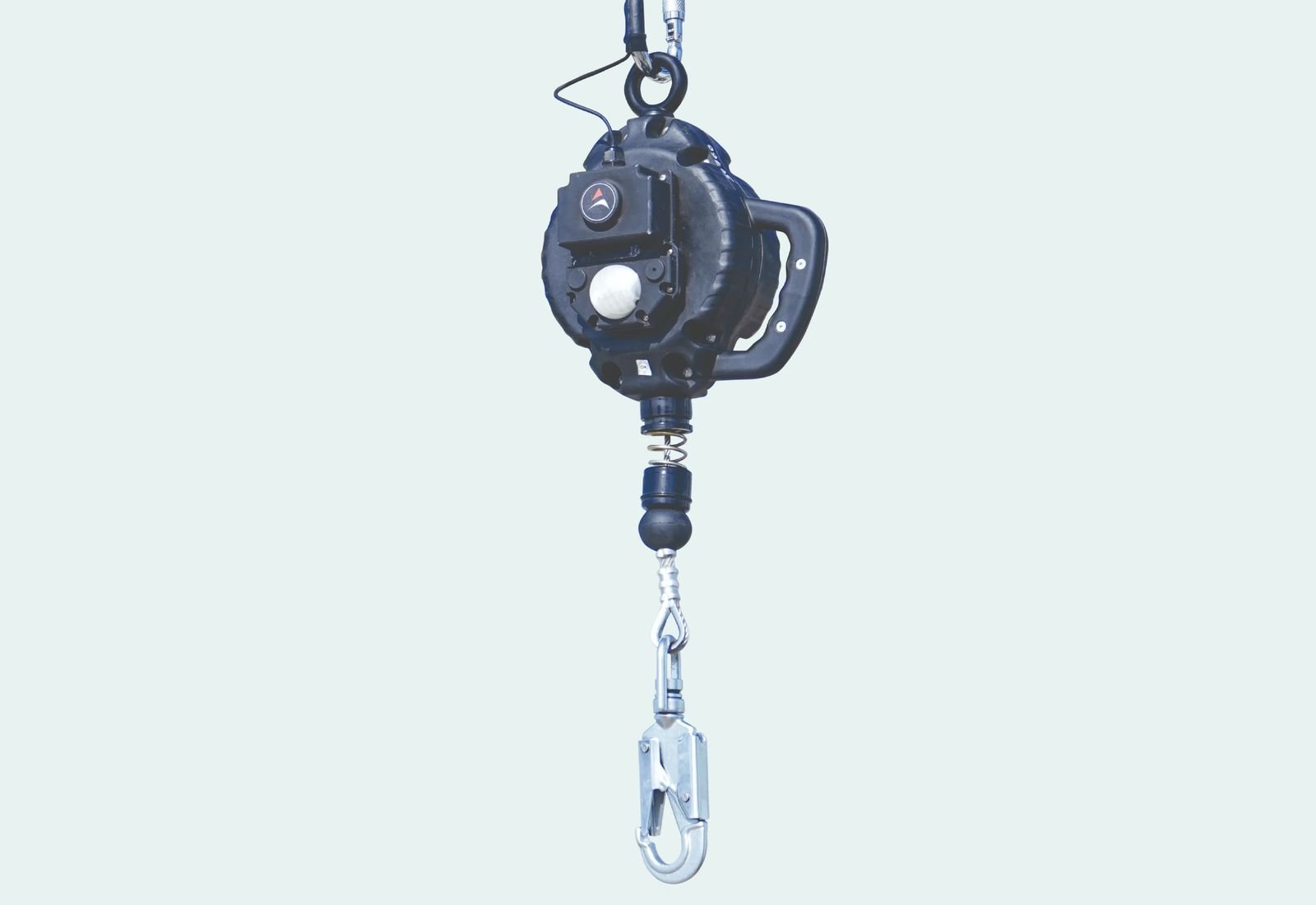
Smart Block
Detects a fall on a block and flags it unsafe to use.
View product →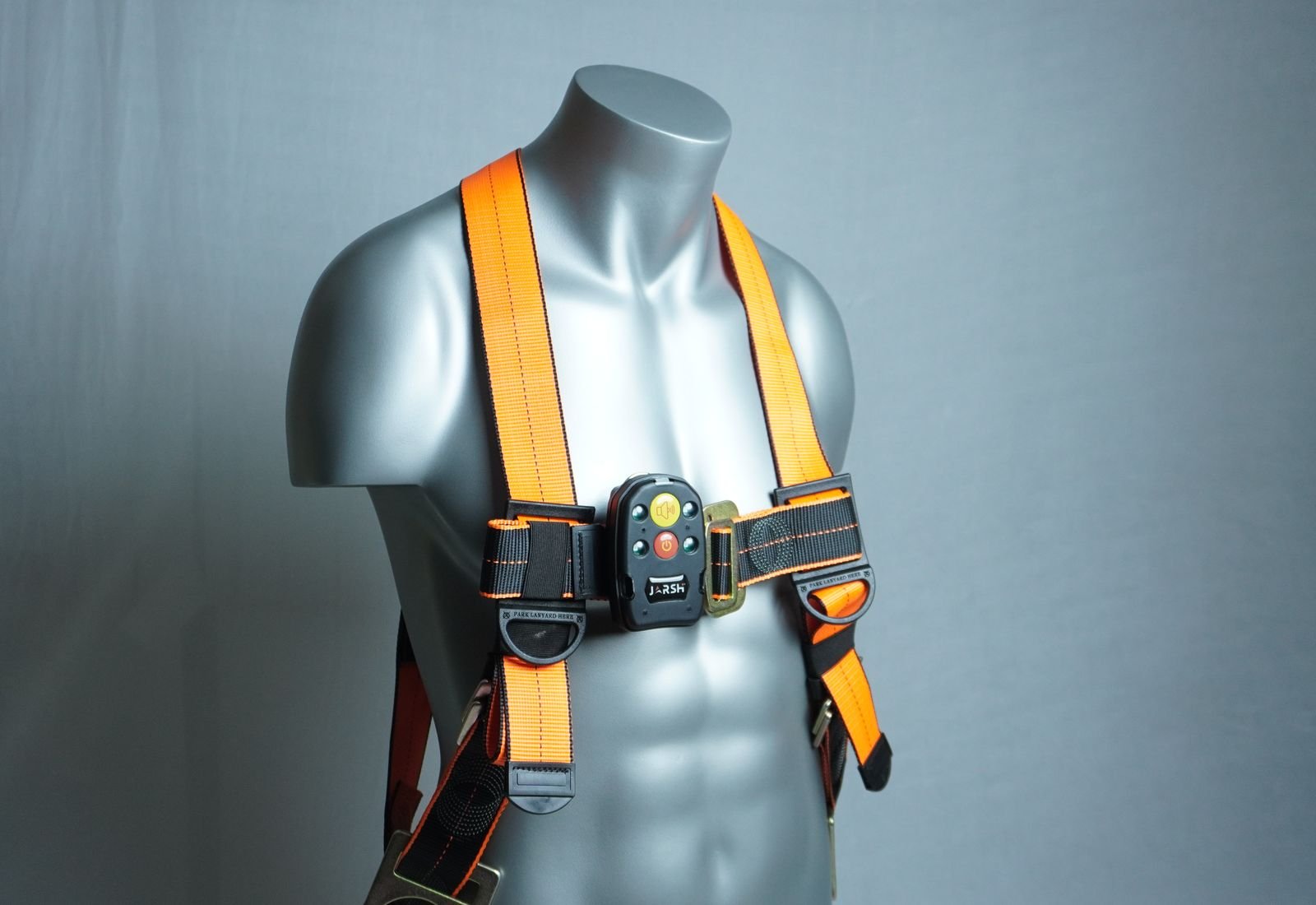
DownAlert™ man-down alarm
Sounds a 101 dB alarm when a worker stops moving.
View product →Common questions
Still unsure? Ask us: we reply within 24 hours.
How is WorkForce Alert different from DownAlert?
What happens after a fall?
Does it work without mobile coverage?
How fast does it detect a fall?
Where is the data shown?
How long does the battery last?
Is it for hazardous areas?
See WorkForce Alert on your site.
Book a demo or ask for a pilot. Tell us how many workers, where they work and the mobile coverage. We reply within 24 hours.
Our team replies within 24 hours.